Ransomware attacks cost businesses millions every year, and they're getting more sophisticated. Attackers encrypt your files and demand payment for their return. Sometimes they threaten to leak sensitive data if you don't pay up.
Most ransomware attacks follow predictable patterns, which makes them easier to prevent. They often start with a phishing email, a stolen credential, or an unpatched vulnerability. That means you can stop them before they start with the right precautions. LastPass plays an important role by securing the credentials attackers often exploit to gain access.
This guide covers eight proven ransomware prevention strategies you can put in place to keep your business safe.
- Ransomware attacks typically begin with phishing emails, stolen credentials, or unpatched software vulnerabilities.
- Regular offline backups are your best recovery option if an attack succeeds, since attackers can't encrypt what they can't reach.
- Multifactor authentication blocks most credential-based attacks, even when passwords are compromised.
- LastPass helps protect against ransomware by securing credentials with AES-256 encryption and enforcing strong password policies.
- An incident response plan prepared in advance can significantly reduce damage and recovery time during an attack.
8 ransomware prevention strategies for your business
1. Back up critical data regularly and store copies offline
Backups are your safety net when everything else fails. If ransomware encrypts your systems, a clean backup means you can restore operations without paying a ransom.
The key is keeping at least one backup copy offline or air-gapped, meaning it's completely disconnected from your network and the internet. Ransomware often targets connected backup drives and cloud storage. An offline backup stored on a disconnected hard drive can't be touched.
Follow the 3-2-1 rule: keep 3 copies of your data, on 2 different types of storage, with one copy stored offsite. Test your backups regularly by running restoration drills to make sure they work when you need them.
2. Keep all software and systems updated with security patches
Attackers love unpatched software. When a vendor releases a security patch, it often reveals the exact vulnerability that existed before. Attackers reverse-engineer these patches to target organizations that haven't updated yet.
Enable automatic updates wherever possible. For systems that require testing before updates, create a schedule and stick to it. Prioritize patches for internet-facing systems, operating systems, and commonly exploited applications like browsers and email clients.
Don't forget about legacy systems. If you're running software that no longer receives updates, isolate it from the rest of your network or plan for replacement.
3. Train employees to recognize phishing and suspicious attachments
Phishing is one of the most common ways ransomware gets into your network. Attackers craft convincing emails that trick employees into clicking malicious links or opening infected attachments.
Effective training goes beyond annual presentations. Run simulated phishing campaigns to give employees hands-on practice spotting suspicious emails. Share examples of real attacks that targeted similar organizations.
Teach employees to verify unexpected requests through a separate channel. If an email claims to be from a vendor asking for payment, confirm it through your usual communication method with that vendor, whether that's Slack, Teams, or a known email address.
4. Use multifactor authentication on all accounts
Stolen credentials are a goldmine for ransomware attackers. Once they have a working username and password, they can log into your systems, move laterally, and deploy ransomware across your network.
Multifactor authentication (MFA) stops most credential-based attacks cold. Even if an attacker has your password, they can't get in without the second factor, whether that's a code from an authenticator app, a hardware key, or biometric verification.
Prioritize MFA for email accounts, VPN access, remote desktop connections, and admin accounts. These are the access points attackers target first. Use phishing-resistant methods like hardware security keys or FIDO2 biometrics when possible, as these can't be intercepted like SMS codes.
5. Limit user access to only what each employee needs
The principle of least privilege limits damage when an account is compromised. If an attacker gains access through a marketing employee's credentials, they shouldn't be able to reach financial systems or customer databases.
Review user permissions regularly. Employees often accumulate access rights as they change roles, and old permissions rarely get revoked. Conduct quarterly access reviews to remove unnecessary privileges.
For admin accounts, consider just-in-time access. Rather than giving IT staff permanent admin rights, grant elevated permissions only when needed and automatically revoke them after a set period. This shrinks the window attackers have to exploit privileged accounts.
6. Protect credentials with a secure access solution
Weak and reused passwords give attackers an easy way in. Credential stuffing attacks test stolen username and password combinations across multiple sites. If an employee uses the same password for a breached website and their work email, attackers can walk right into your network.
A secure access solution like LastPass with password management capabilities generates unique, complex passwords for every account. Employees don't need to remember them, so there's no temptation to reuse something simple. The tool fills credentials automatically, making secure behavior the path of least resistance.
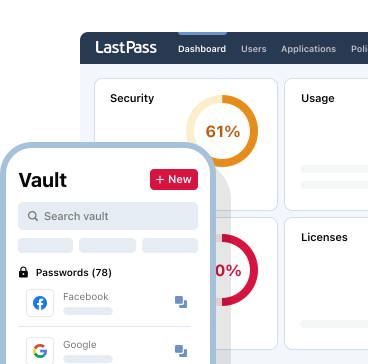
Look for a solution that offers a security dashboard to identify weak or reused passwords across your organization. Dark web monitoring can alert you when employee credentials appear in known data breaches, giving you time to change them before attackers strike.
7. Segment your network to contain potential breaches
Network segmentation limits how far ransomware can spread once it gets inside. Instead of one flat network where everything can talk to everything else, you create boundaries between different parts of your infrastructure.
Separate your network by function. Keep HR systems isolated from development environments. Put guest Wi-Fi on its own segment. Ensure that point-of-sale systems can't communicate directly with file servers.
If ransomware infects one segment, firewalls and access controls prevent it from jumping to others. This buys you time to detect the attack and respond before it reaches your most critical systems.
8. Create an incident response plan before you need one
When ransomware hits, every minute counts. Having a documented plan means your team can act immediately instead of scrambling to figure out what to do.
Your plan should cover who makes decisions during an incident, how you'll communicate if email is compromised, and which systems to isolate first. Include contact information for legal counsel, cyber insurance providers, and law enforcement.
Run tabletop exercises to practice your response. Walk through scenarios with your team and identify gaps before a real attack exposes them. Update the plan as your infrastructure changes and after each exercise reveals improvements.
How LastPass helps you protect against ransomware
Stolen credentials fuel many ransomware attacks. LastPass removes this vulnerability by generating and storing strong, unique passwords for every account your team uses.
With AES-256 encryption and a zero-knowledge architecture, your credentials stay protected even from LastPass itself. Only you can decrypt and access your data with your master password. This means attackers can't steal usable credentials from the LastPass vault.
LastPass supports multiple MFA options including authenticator apps, YubiKey hardware keys, and FIDO2 biometrics like Windows Hello and Touch ID. Adding a second factor to your vault and critical accounts blocks attackers who manage to obtain passwords through phishing or data breaches.
For businesses, LastPass offers over 120 security policies that let admins enforce strong password requirements across the organization. The Security Dashboard identifies weak, reused, and compromised passwords so you can fix vulnerabilities before attackers exploit them. Dark web monitoring scans for your employees' credentials in known breaches and alerts you to take action.
LastPass Business also integrates directly with identity providers like Microsoft Entra, Okta, and Google, enabling federated login and centralized access management.
Ready to strengthen your ransomware defenses? Try LastPass Business and secure your team's credentials.
- Easy-to-use interface
- Seamless, safe password sharing
- Native directory integrations
- Scalable and compliant to your needs