
Your employees' passwords protect everything from email and customer data to financial systems and proprietary information. That's exactly why hackers spend so much time and effort trying to steal them. Credential theft has become one of the most common attack methods against businesses because a single stolen password can give attackers access to your entire network.
Understanding how these attacks work helps you protect your organization. In this article, we'll walk through eight tactics hackers use to steal credentials and share practical steps your business can take to stop them. Tools like LastPass can help your team generate strong, unique passwords and alert you if company credentials appear in a data breach.
- Phishing emails remain the top credential theft tactic, tricking employees into entering passwords on fake login pages.
- Weak and reused passwords make brute force attacks and credential stuffing far easier for hackers targeting your business.
- Keyloggers and man-in-the-middle attacks can capture employee credentials without anyone knowing something is wrong.
- Social engineering relies on manipulation rather than technical exploits, making regular employee security training essential.
- LastPass generates unique passwords for every account and monitors the dark web for compromised company credentials.
8 ways hackers steal your credentials
1. Phishing emails that trick employees into entering credentials
Phishing is one of the oldest tricks in the book, and it still works. Hackers send emails that look like they're from trusted sources, such as your company's IT department, a software vendor, or a service like Microsoft 365.
These emails typically contain urgent messages asking employees to verify their accounts or reset their passwords. When they click the link, they land on a fake login page designed to capture their credentials. The page often looks identical to the real thing.
How to prevent it:
Train your team to check sender email addresses carefully and hover over links before clicking. Establish a policy where employees go directly to websites by typing the address into their browser instead of clicking email links.
2. Brute force attacks that crack weak passwords
Brute force attacks use automated tools to try thousands or even millions of password combinations until they find the right one. Short, simple passwords can be cracked in seconds.
Adding complexity helps, but length matters even more. A 12-character password with a mix of letters, numbers, and symbols is far harder to crack than an 8-character password. Dictionary words and common substitutions (like "p@ssw0rd") are easy targets because hackers know to try them first.
How to prevent it:
The best defense is requiring your team to use a password generator that creates long, random passwords for every account. These passwords are so complex that brute force attacks would take years to crack them.
3. Credential stuffing using leaked passwords from other breaches
Credential stuffing is a type of attack where hackers take username and password combinations leaked from one data breach and try them on other websites. They're betting that employees have reused the same password for work accounts. Unfortunately, that bet often pays off.
Billions of credentials are available on the dark web from past breaches. Hackers use automated tools to test these stolen logins against business applications, email providers, and corporate systems. If any employee has reused a personal password for work, your company is vulnerable.
How to prevent it:
The only real protection against credential stuffing is enforcing unique passwords for every account. That way, even if one password is exposed in a breach, your other business systems stay secure. Dark web monitoring can also alert you when employee credentials appear in breaches, giving you time to change them before attackers strike.
4. Keyloggers that capture every keystroke
Keyloggers are malicious programs that record everything typed on a device, including usernames and passwords. They can be installed through phishing emails, malicious downloads, or compromised websites.
Once a keylogger is on an employee's device, it silently captures their keystrokes and sends them to the attacker. The employee might not notice anything wrong until it's too late. Some keyloggers can even take screenshots or record clipboard data.
How to prevent it:
Keep all company devices updated with the latest operating system and antivirus software. Establish clear policies about downloading files from unknown sources. Using autofill features from a password manager also helps, since employees aren't typing passwords manually.
- Easy-to-use interface
- Seamless, safe password sharing
- Native directory integrations
- Scalable and compliant to your needs
5. Man-in-the-middle attacks on unsecured networks
When employees connect to public Wi-Fi at a coffee shop or airport, they might be sharing that network with a hacker. Man-in-the-middle attacks happen when someone intercepts the communication between a device and the website it's connecting to.
The attacker can see everything being sent, including login credentials. In some cases, they can even modify the data in transit. This is especially dangerous for remote workers accessing company systems from unsecured networks.
How to prevent it:
Require employees to verify they're on HTTPS websites when entering sensitive information (look for the padlock icon). A company VPN adds another layer of protection by encrypting all traffic. Consider policies that limit access to sensitive systems from public networks.
6. Social engineering that manipulates employees into sharing access
Social engineering attacks exploit human trust rather than technical vulnerabilities. Hackers might call your company pretending to be IT support and ask for login credentials. Or they might send a convincing email claiming to be a new vendor who needs system access.
These attacks work because they exploit trust and authority. A well-crafted story can convince even careful employees to hand over sensitive information. The attacker might create urgency ("Your account will be locked in 10 minutes!") or appeal to helpfulness.
How to prevent it:
Regular security awareness training helps employees recognize these tactics. Establishing clear verification procedures for credential requests is also important. If something feels off, it probably is.
7. Dark web marketplaces selling stolen credentials
The dark web hosts underground marketplaces where hackers buy and sell stolen credentials in bulk. Your company's email and password combinations might be available for just a few dollars. These marketplaces make it easy for criminals to purchase credentials without doing the hacking themselves.
Credentials typically end up here after data breaches. Once company information is on the dark web, it can be sold and resold indefinitely. You might not even know your business data was exposed until someone uses it to breach your systems.
How to prevent it:
Dark web monitoring services like the one LastPass offers can alert you when company credentials appear in known breaches. Changing passwords immediately after a breach notification is critical. Enforcing unique passwords across your organization limits the damage since only one account is affected.
8. Shoulder surfing and physical observation
Not all credential theft happens online. Shoulder surfing is when someone watches an employee's keyboard to see which keys they press while logging in. This could happen at an airport, in a coffee shop, or even in your own office with visitors present.
Attackers might also look for passwords written on sticky notes or whiteboards. In open-plan offices, visitors or even other employees can easily spot these. These low-tech methods are surprisingly effective at compromising business accounts.
How to prevent it:
Train employees to be aware of their surroundings when entering passwords, and to shield their keyboard from view. Issue privacy screens for devices used in shared spaces or during travel. Most importantly, establish a policy against writing passwords down, and give your team an encrypted password manager to store credentials securely instead.
How LastPass helps your business prevent credential theft
Protecting your organization from credential theft starts with better password habits across your team, and LastPass makes those habits easy to enforce. The built-in password generator creates unique, complex passwords for every account, eliminating the risk of password reuse that makes credential stuffing attacks possible.
LastPass uses AES-256 encryption with 600,000 rounds of PBKDF2-SHA256 to protect your company's vault. In plain terms, this means your data goes through 600,000 cycles of encryption, making it nearly impossible for attackers to crack. The zero-knowledge architecture means employee master passwords are never known to LastPass, so only your team members can decrypt and access their data.
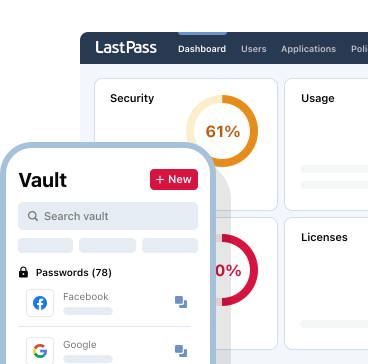
The Security Dashboard gives employees password health scores and alerts them to weak, reused, or compromised passwords. Dark web monitoring scans for company credentials in data breaches and notifies you when they appear, so you can respond before hackers strike.
Autofill features help protect against keyloggers since employees aren't manually typing passwords. You can also enforce multifactor authentication using LastPass Authenticator, FIDO2 biometrics like Windows Hello or Touch ID, or hardware security keys like YubiKey.
LastPass Business gives IT teams the control they need, with 120 customizable security policies and role-based administration across 4 permission levels. If you ever run into issues, 24/7 support is available by phone, email, and chat.
Start your free trial and protect your company's credentials.


