Packed subway rides. Long commutes. Rushed lunches. Remote work flips that script on its head. But here’s the part rarely mentioned: Freedom comes with new risks.
As a professional, you know one of them is a wider digital footprint.
That’s why it’s important to understand how to defend it.
Today, we talk about remote work security and reveal the #1 tool that helps you protect client data and safeguard your reputation.
But first, let’s address the elephant in the room.
Is remote work going away?
You’ve escaped daily commutes and mastered the art of working from anywhere: the patio, your local Starbucks, the kitchen table.
But everywhere you turn, experts are talking about RTO (return-to-office) mandates and strategic downsizing. If you’ve felt the tension, you aren’t alone.
While hybrid work is increasingly popular - the global hybrid work market is set to rise to $21.1 billion by 2032 - fully remote roles aren’t disappearing anytime soon.
Currently, 75% of workers with jobs that can be done at home spend at least part of their week working remotely. When asked, 36% say they prefer to work 100% remotely, 28% prefer a hybrid mode, and 27% prefer in-office work.
Employers know this and it’s why 37% of all new job postings in Q1 2025 were for fully remote or hybrid roles.
So, remote work isn’t going away - it’s evolving and remaining a core part of the employment landscape.
But as remote work continues to reshape the fabric of our lives, a new set of challenges demand attention.
What are the risks of remote working?
You’re juggling apps and platforms, logging in from airport Wi-Fi, and maybe even reusing default passwords to save time.
These are all open invitations for hackers looking for that one weak link to exploit. In 2025, the risks of remote working include:
- Expanded attack surfaces: Every device, app, or platform you use adds to the complexity of securing your business data.
- Less oversight: At home or on the go, sensitive client files or proprietary data on your laptop screen may be seen by family members, guests, or cafe patrons. Shoulder surfing (spying on someone’s screen) is an age-old tactic that’s still surprisingly common. According to a 2025 eye-tracking study, boredom and curiosity are the top motives, aside from malicious intent. Meanwhile, factors like crowd density, seating arrangement, proximity, and personal traits (like neuroticism and openness to new experiences) can also influence how likely shoulder surfing is to occur.
- Compliance challenges: If you aren’t accessing data according to privacy rules, you may be breaking contractual obligations without realizing it.
- Social engineering and phishing: Scammers know you’re busy and distracted. So, they send you fake invoices, phishing links, and urgent “payment reminders” for supposedly overdue accounts. And if you’re attending a work conference, beware. A favorite social engineering tactic is dropping free USB drives in breakout rooms, under tables, or in parking lots. If you plug one in out of curiosity, you may be infecting your device with ransomware, keyloggers, or infostealers designed to take over your device and capture everything you type.
- AI-powered attacks: Thanks to AI, bots can now sound and look like your clients. Respond to a deepfake video or audio call, and you could find yourself revealing secrets or sending payments to scam artists.
- Unsecured devices & networks: Public Wi-Fi may be convenient, but it often lacks adequate encryption. This means scammers can deploy tools to harvest your login credentials and access your work accounts. And that’s not all. Public Wi-Fi can make you more susceptible to an evil twin attack. This is when hackers create a fake Wi-Fi network that looks identical to the real one. Once you connect to it, you’re vulnerable to a man-in-the-middle or adversary-in-the-middle attack. This means the attackers are positioned between you and the internet, allowing them to harvest whatever you type in: passwords, email addresses, banking info, credit card numbers, and other personal details.
Securing a remote workforce in the digital era
As a remote worker, you understand the risks.
You’ve seen the headlines, attended security awareness training, and maybe even caught a phishing email before it did any damage.
But nearly 70% of executives still worry employees like you aren't security savvy.
And 62% fully expect that attacks using AI will trick you in the coming year.
If you’re a freelancer, the trust gap is even wider. You’re not on the company VPN and don’t have an IT team backing you up.
So, besides avoiding public Wi-Fi and ensuring all your software & devices are updated, what’s the fastest way to prove the skeptics wrong (while protecting your income and reputation)?
Answer: A Secure by Design password manager, built for remote work in 2025.
Remote office solutions: Adopt the #1 tool for a secure home workspace
With LastPass, it doesn’t matter whether you’re clocking in from a beach in Maui or your kitchen table. You can show both employers and clients that you take data security seriously.
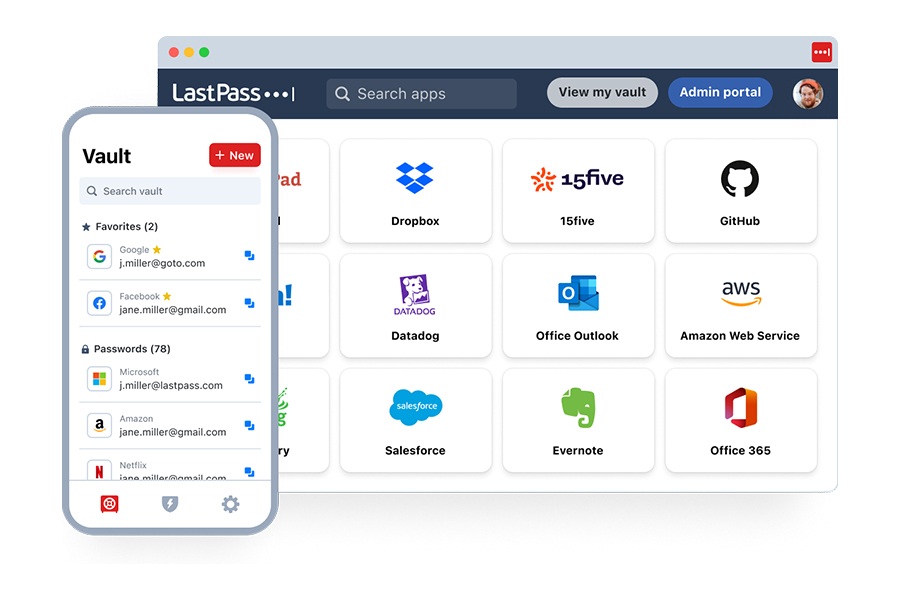
Here’s what sets LastPass apart from every other “basic” tool:
- NIST and CISA-friendly password generator: Now, you can easily generate ultra-secure, complex passwords based on CISA and NIST guidelines. This means you’ll never have to reuse credentials again or waste precious time coming up with new passwords.
- Secure collaboration & sharing: With LastPass, you can share passwords and other sensitive info with your colleagues, clients, vendors, and assistants without exposing that data to unauthorized parties. This means you can collaborate without worrying about exposing business critical data.
- AES-256 bit military-grade encryption: With LastPass, your data is locked with the same encryption used by the military, banks, and intelligence agencies. This means that, even if hackers manage to steal the encrypted contents of your vault, they’ll only see meaningless, scrambled data (ciphertext). Decryption is impossible without your master password, which is effortless to create with our helpful inline guidance and easy instructions.
- 24/7 Dark Web Monitoring: You’ll get real-time alerts if your email addresses are found compromised. This means you can act quickly to update your passwords and lock down your accounts before scammers can exploit them.
- Secure autofill: With LastPass, you get autofill on real, legitimate sites ONLY. This means your credentials won’t be entered on phishing sites or spoofed pages.
- FIDO2 phishing resistant multi factor authentication: A LastPass subscription gets you next-gen security, allowing you to unlock your vault with passkeys or a hardware security key like YubiKey. This type of authentication is virtually impossible for hackers to phish, duplicate, or guess.
With LastPass, you aren’t just saving time. You’re also assuring clients that you’re serious about protecting their data.
To cut your risks and signal your commitment to security, get your free trial here:
|
|
Best for |
Free trial |
|
Teams |
Micro businesses, startups, or freelancers
|
Yes, get it here |
|
Business |
Commercial /enterprise business units, small businesses, or agencies
|
Yes, get it here |
|
Business Max |
Commercial mid-sized businesses or small businesses in regulated industries |
Yes, get it here |
And before you go, check out our cybersecurity tips for remote workers and read what our customers are saying:
I love that LastPass allows you to create shared passwords with Teams, that it has maximum provisioning features, audit trails, the mobile app is a lifesaver, that you are able to export your passwords to a .CSV file, and so many more features. I've used LastPass since before the Heartbleed attack in 2014 and it was the site that the U.S. Department of Defense had everyone go to in order to confirm whether or not a particular site had been patched after Heartbleed, which was the single largest internet attack since the inception of the internet. I've been using LastPass [for] that long and wouldn't change it for anything. The price point is perfect (Anne C, small business owner and entrepreneur).
All my passwords are kept safe, encrypted, and 2-factor authenticated, so I don't have to worry. I have hundreds of logins, and I have a different strong password for each, and I cannot imagine what it would be like to manage that on paper. I use it many times every day, both in my personal affairs and in my professional work as a teacher (Aaron C, German teacher).
- Easy-to-use interface
- Seamless, safe password sharing
- Native directory integrations
- Scalable and compliant to your needs