A great onboarding experience sets new hires up for success from day one, helping team members understand their role, build relationships with their teammates, and start contributing faster. And when the process is smooth and well-organized, it reflects positively on your company culture before your hew hires even finished their first week.
The best onboarding programs include structured schedules, clear expectations, mentorship, and secure ways to share access to the tools new hires need. A Secure Access solution like LastPass can help with making credential handoffs simple for IT and new employees alike.
Below are ten onboarding best practices worth building into your process.
- Starting onboarding before day one helps new hires feel prepared and reduces first-day anxiety.
- Having accounts and credentials ready through a tool like LastPass eliminates frustrating access delays.
- Assigning mentors and scheduling regular check-ins keeps new employees engaged and supported.
- Clear 30-60-90-day goals give new hires direction and measurable milestones to work toward.
- Collecting feedback throughout onboarding helps you identify gaps and improve the process over time.
How to build a great employee onboarding experience
1. Start the onboarding process before day one
The best onboarding experiences begin before your new hire walks through the door. Starting early is your chance to handle administrative tasks like paperwork, tax forms, and benefits enrollment so team members aren't buried in logistics on their first day.
Send a welcome email that includes what to expect during the first week, who to meet, and any reading materials that might help with getting up to speed. Include practical details too, like where to go on arrival, what time to show up, and who to ask for at reception.
This early communication signals that your company is organized and that you're genuinely excited to have them join. It also gives new hires time to prepare questions and mentally shift into their new role.
2. Have all accounts and tools ready to go on arrival
Before your new hire arrives, make sure their laptop is configured, accounts are created, and all necessary applications are installed. This way, your people can focus on learning and meeting the team instead of waiting for IT access.
This requires coordination between HR, IT, and the hiring manager. Create a checklist of every tool and account the role needs. Does the new hire need access to your CRM? Project management software? Communication tools like Slack or Teams? Get all of this sorted ahead of time.
A solution with password management makes credential handoffs much easier. Instead of sending login details through insecure channels, you can share access through encrypted folders that keep sensitive information protected.
3. Assign a buddy or mentor for the first few weeks
New employees often have questions they might hesitate to ask their manager. That's where an onboarding buddy comes in. This person serves as a friendly resource for the day-to-day questions that don't quite warrant a meeting.
Choose a buddy who knows the company well and genuinely enjoys helping others. This shouldn't feel like a burden for either party. The buddy can explain unwritten rules, introduce new hires to colleagues, and help them navigate office culture.
Regular informal check-ins with the buddy during the first few weeks help new hires feel more comfortable and connected. It's also a chance for them to hear honest perspectives about what it's really like to work at your company.
4. Create a structured first-week schedule
A clear first-week schedule helps new hires know exactly what to expect and where to focus their energy.
Map out each day with a mix of orientation sessions, team introductions, training, and independent time. Build in breaks so new hires aren't overwhelmed with back-to-back meetings. Include time for them to explore their tools, read documentation, and ask questions.
Share the schedule before the start date so team members know what's coming. Knowing what to expect helps reduce first-day nerves and allows employees to arrive ready to engage.
5. Set clear 30-60-90-day expectations and goals
New hires want to know what success looks like in their role. Clear goals give them focus and direction.
Work with the hiring manager to define specific, measurable objectives for the first 30, 60, and 90 days. Think about what skills new hires need to develop, what projects they should be involved in, and how much independence they should have by each milestone. The specifics will vary depending on the role, but having clear benchmarks gives new hires something concrete to work toward.
Write these expectations down and review them together. Check in regularly to track progress and adjust goals if needed. This framework gives new hires a roadmap and reassures them that they're on track.
6. Introduce company culture early
Onboarding often focuses heavily on compliance training and policy reviews. While these are necessary, they don't tell new hires who you really are as a company. Culture needs intentional introduction too.
Share your company's mission, values, and the "why" behind what you do. Explain how teams collaborate, how decisions get made, and what behaviors are celebrated. If possible, have leadership share the company's story directly.
Introduce new hires to different departments early on, even if they won't work together directly. This helps your new team members understand how their role fits into the bigger picture and builds cross-functional relationships from the start.
7. Use secure systems to share credentials and sensitive access
Email and Slack messages weren't designed for sharing login credentials. Password management offers a better way to get new hires the access they need.
With password management, you can share specific credentials through encrypted folders and control exactly what each person can see. When permissions change or someone leaves, you can revoke access in a few clicks.
This keeps sensitive information protected while making life easier for IT. New employees get what they need on day one, and admins stay in control.
8. Schedule regular check-ins throughout the first 90 days
Regular check-ins with their manager help new hires feel supported, answer questions early, and show that you're invested in their success.
Weekly one-on-ones during the first month work well, then you can shift to biweekly as they settle in. Use these conversations to discuss how onboarding is going, what's working, and where new hires need more support.
Check-ins also give managers insight into how the onboarding process itself is performing. If the same questions or frustrations keep coming up, that's feedback you can use to improve things for future hires.
9. Don't overwhelm new hires with everything at once
It's tempting to front-load onboarding with every piece of information a new hire might eventually need. But too much too fast leads to information overload. People can only absorb so much before details start slipping through the cracks.
Prioritize what's essential for the first week and save deeper training for later. New employees don't need to master every system on day two. Conduct your training in phases so new hires can build competence gradually rather than feeling buried.
Give new employees permission to learn at their own pace where possible. Let them know it's okay to revisit training materials and ask questions later. This takes the pressure off and leads to better retention.
10. Collect feedback to improve your onboarding process
Onboarding isn't a one-and-done project. The best programs evolve based on input from the people who go through them. Ask new hires for feedback at multiple points: after week one, after 30 days, and after 90 days.
Keep questions specific. What felt confusing? What information did they wish they had sooner? What surprised them about the company or role? Their fresh perspective is invaluable because they notice things long-term employees no longer see.
Use this feedback to make tangible improvements. When new hires see their input put into action, it reinforces that their voice matters, which is itself a powerful onboarding experience.
How LastPass helps you onboard employees securely
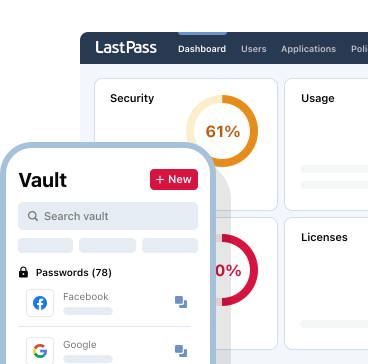
LastPass makes it easy to share credentials with new hires securely. You can organize passwords into shared folders by team, department, or project, and grant new employees access to exactly what they need for their role. Instead of sending logins over email or Slack, everything stays encrypted and protected.
If your company uses an identity provider like Microsoft Entra ID, Google Workspace, Okta, or OneLogin, LastPass can automatically create accounts for new hires when you add them to your directory. This saves time and means one less thing for IT to set up manually.
And if someone forgets their master password during their first week, LastPass offers several recovery options so news hires aren’t stuck waiting on IT.
Try LastPass free and see how it fits into your onboarding process.
- Easy-to-use interface
- Seamless, safe password sharing
- Native directory integrations
- Scalable and compliant to your needs