Share sites and notes
Any time you need to share an item, just launch the LastPass app and search for the item in the vault. Tap the item and select “Share” from the action menu. Enter the email address for the recipient, and send it on its way.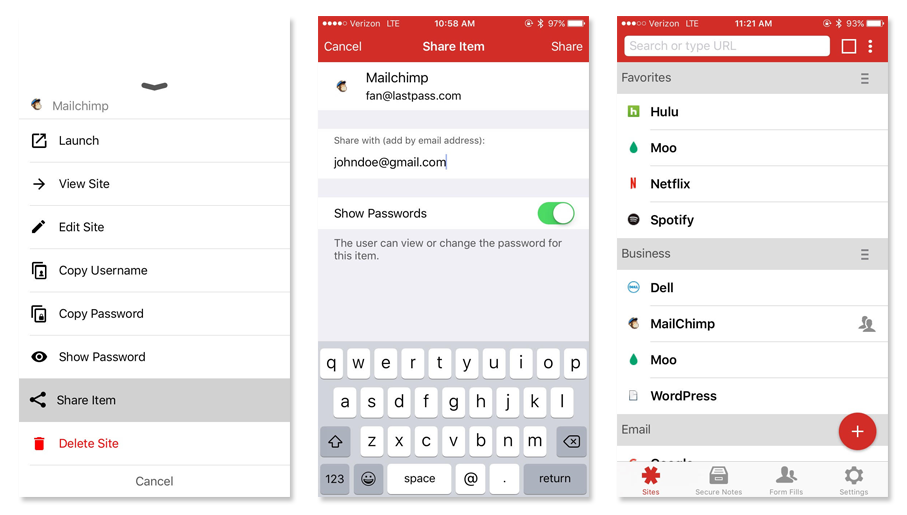 The shared data is encrypted just like any other data you store in LastPass, so you know it’s safely shared with the other person. No more jotting passwords down on bits of paper or reading passwords out loud.
If they don’t have a LastPass account, don’t worry! We’ll help them get started, and then they can automatically accept the item you shared with them.
The shared data is encrypted just like any other data you store in LastPass, so you know it’s safely shared with the other person. No more jotting passwords down on bits of paper or reading passwords out loud.
If they don’t have a LastPass account, don’t worry! We’ll help them get started, and then they can automatically accept the item you shared with them.
Make passwords visible or hidden
Say you need to share a login with someone, but you don’t want them making changes to the password, or even seeing the password. When you share a password, you can choose whether to make it “hidden”. If the password is hidden, they won’t be able to view it from the LastPass app, or make changes to the password field.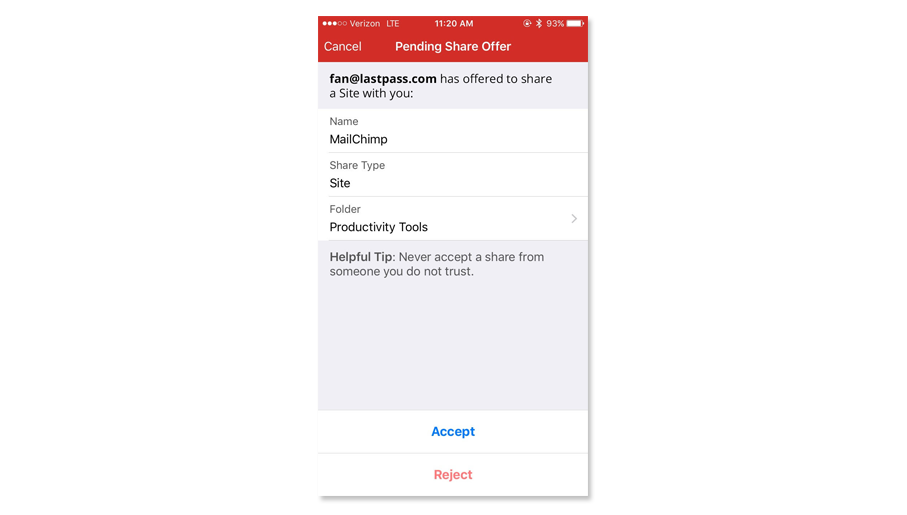
Unshare when you’re done
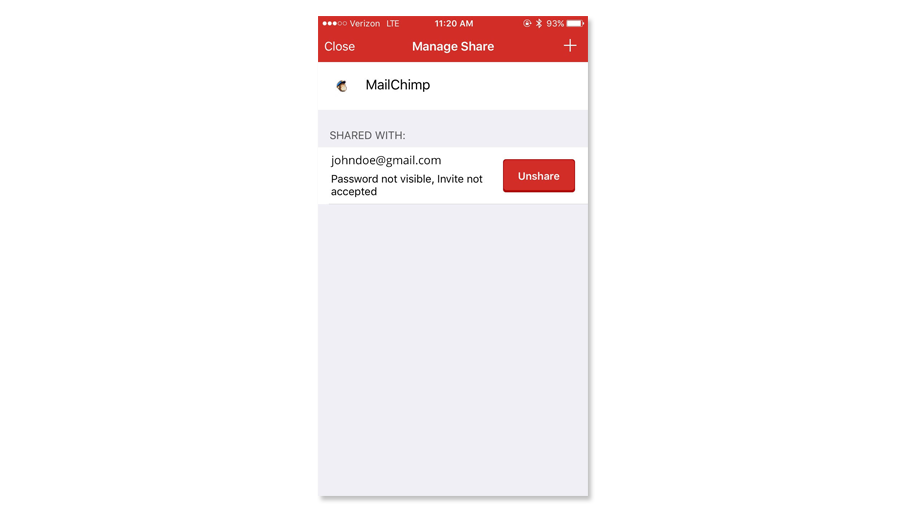
No longer working on that project, so no longer need to share passwords? Not to worry, you can easily unshare an item whenever you need to. Note that when you unshare an item, we strongly recommend updating the password!