

[button color="accent-color" hover_text_color_override="#fff" size="medium" url="https://itunes.apple.com/us/app/lastpass-for-premium-customers/id324613447?mt=8" text="Get the LastPass app" color_override=""]
Enable LastPass in Chrome for iOS
Turning on the LastPass extension in Chrome is similar to the steps to enable the Safari extension on iOS 8. Once you’re logged in to the LastPass app, launch the Chrome browser and tap the three-dot menu in the upper right corner. [one_whole centered_text="true"]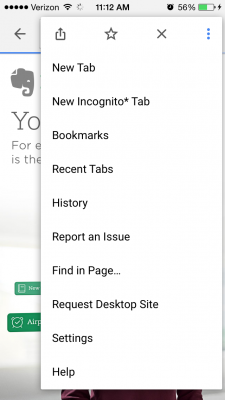
 [/one_whole]
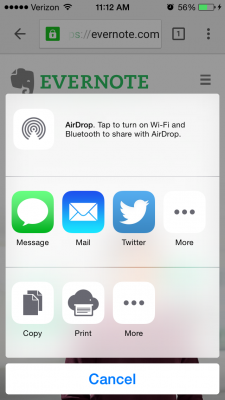
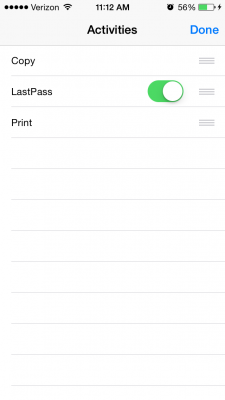
Tap the Share icon to open the extensions menu, and tap the lower “More” button. In the Activities list, toggle LastPass, and the extension will appear in the Share list options.
[/one_whole]
Tap the Share icon to open the extensions menu, and tap the lower “More” button. In the Activities list, toggle LastPass, and the extension will appear in the Share list options.
Autofill a Login in Chrome for iOS
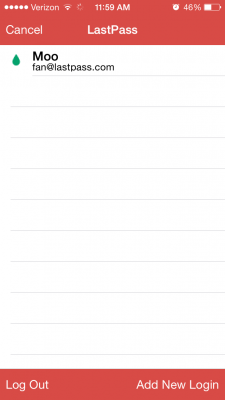
When you’re browsing in Chrome and need to login to a password-protected website, just tap the Share icon in the Chrome menu, and tap the LastPass extension button. [one_whole centered_text="true"]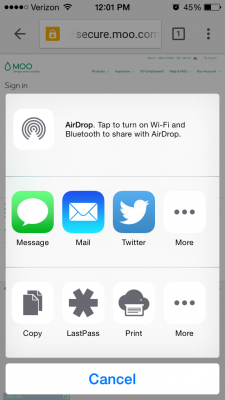
 [/one_whole]
Choose the account you want to login with - and LastPass does the hard work for you! No typing, no hassle, just easy password management.
[/one_whole]
Choose the account you want to login with - and LastPass does the hard work for you! No typing, no hassle, just easy password management.
A Smarter Mobile Experience
We want to help you work smarter, not harder. With the LastPass app for iOS, we’re bringing improvements that make it easier to fill your data, in a way that works with the apps and browsers you love. The LastPass app for iOS is part of the LastPass Premium service. For $12 per year, enjoy the peace of mind of unlimited mobile sync on any smartphone or tablet, plus other features to help you boost your productivity and security.[button color="accent-color" hover_text_color_override="#fff" size="medium" url="https://itunes.apple.com/us/app/lastpass-for-premium-customers/id324613447?mt=8" text="Get the LastPass app" color_override=""]


