
There are dozens of SaaS security tools on the market, and on the surface, they all seem to address the same problem: protecting your organization's SaaS applications.
But in reality, these tools vary dramatically in what they actually do, who they're built for, and what they cost. For example, a credential management tool that gives you visibility into which apps your team is using and how they're logging in is very different from an enterprise SSPM platform that monitors configurations across your entire SaaS stack.
To help you sort through these options, here are the key factors to consider when evaluating SaaS security tools:
-
What layer of SaaS security does the tool address? (Credential management, posture management, data loss prevention, identity governance, etc.)
-
Is it built for your company size and IT resources? (Enterprise with a dedicated security team vs. SMB with a lean or no IT team)
-
Does it provide visibility into shadow IT and unapproved SaaS/AI tool usage?
-
Can you enforce granular access policies by user, group, or role?
-
What's the deployment complexity? Does it require agents, integrations, or months of setup?
In this blog, we’ll discuss the best SaaS security tools, starting with our platform, LastPass, which provides credential management, SaaS monitoring, and access controls designed for small and midsize businesses. We’ll also cover tools made for different purposes and organization sizes.
Best SaaS security tools:
-
LastPass: Best credential management, SaaS monitoring, and access control tool for small and mid-sized businesses.
-
1Password: Best for organizations that want advanced access management, device trust, and developer-focused security features.
-
Keeper: Best for organizations that need privileged access management (PAM), secrets management, and compliance-focused security controls.
-
Bitwarden: Best for organizations that prioritize open-source software, self-hosting, and control over credential infrastructure.
-
Grip Security: Best for discovering shadow IT, abandoned SaaS accounts, and unmanaged application access across the organization.
-
Nudge Security: Best for organizations that want to reduce shadow IT through employee guidance, SaaS discovery, and governance workflows.
-
Torii: Best for SaaS inventory management, license optimization, and reducing software spend across large application environments.
-
Microsoft Defender for Cloud Apps: Best for Microsoft-centric organizations that need enterprise-grade SaaS governance, risk scoring, and policy enforcement.
-
Netskope: Best for large organizations that need granular SaaS controls, data protection, and context-aware security policies across cloud applications.
1. LastPass

LastPass offers SaaS monitoring, application access controls, and credential management all in a single browser-based tool, making it a practical option for small and mid-sized businesses with lean IT and security teams.
With LastPass, you can:
-
Discover which SaaS and AI tools your team is using, including whether employees are using personal or work accounts and how they are authenticating.
-
Control access to applications by allowing, warning, or blocking specific tools and guiding employees toward approved software.
-
Simplify secure access with an encrypted vault and browser extension that securely stores passwords and other sensitive business information while autofilling credentials across the SaaS applications employees use every day.
Northland Communications, a telecommunications and internet service provider, uses LastPass SaaS Monitoring to understand which browser-based SaaS and AI tools employees are using across the organization. As one team member explained, "SaaS Monitoring shows me where people are going and whether they're using tools they shouldn't be. Most users stick to the apps we give them, and I can warn them, or just talk to them, if something looks off." (Read the full Northland Communications case study.)
Start a free trial, schedule a demo, or keep reading to learn more about the SaaS security features LastPass offers.
Discover which SaaS and AI tools your employees are using

55% of organizations report that employees adopt SaaS tools without checking with IT first. This creates what's commonly known as shadow IT: software that exists outside approved procurement and security processes.
SaaS Monitoring by LastPass offers a solution to this challenge. Using the LastPass browser extension, administrators can see which applications employees are accessing and how they’re authenticating. This includes visibility into whether employees are using personal or work accounts, as well as whether they're logging in with SSO, passkeys, vaulted passwords, or unvaulted passwords.
This visibility helps you identify shadow IT and spot risky login behavior that could otherwise go unnoticed. It also gives IT and security the information they need to make informed decisions about which applications should be approved, monitored, or restricted.
(Learn more about SaaS Monitoring.)
Block, warn, or guide access to specific apps
With SaaS Protect, LastPass also helps you manage how employees interact with SaaS and AI applications. Administrators can choose whether to allow, warn, or block specific SaaS and AI applications directly from the LastPass dashboard.
Instead of relying solely on restrictive security controls, SaaS Protect lets you educate employees at the moment they access an application. You can create custom pop-ups that provide guidance, communicate company policies, and direct employees toward approved alternatives.

For example, the image above shows a warning displayed when an employee attempts to use UPS instead of the company's preferred shipping provider, DHL. Rather than blocking access entirely, the pop-up explains the policy, provides additional context, and allows the employee to continue if necessary. This approach helps you encourage preferred behaviors while maintaining productivity.
You can use similar pop-ups to:
-
Remind employees not to upload sensitive company information into AI tools
-
Guide employees toward approved software vendors
-
Communicate compliance or procurement requirements
-
Reduce the adoption of redundant or unapproved applications
As Wout Zwiep, a Process Engineer at Axxor, a global manufacturer that rolled out LastPass across three countries, explained: "People are experimenting with AI tools like OpenAI and Canva. We don't want to block innovation, but we do want to guide it safely." With SaaS Protect, organizations can reduce their exposure risk while still allowing employees to explore new tools. (Read the full Axxor case study.)
(Learn more about SaaS Protect.)
Secure the credentials behind every application
The LastPass Vault securely stores passwords, API keys, payment information, IDs, software licenses, and other sensitive business information in a centralized, encrypted vault. This allows employees to securely access the information they need without storing credentials in unsafe places like spreadsheets, documents, chat messages, or email threads.The LastPass Vault uses a zero-knowledge security model and AES-256 encryption, which means we can’t access your passwords or stored data.
Shared folders let you securely share credentials across teams while maintaining control over who can access them. For example, you can create folders for social media accounts, vendor logins, software licenses, API keys, or finance tools and grant access only to the employees who need it.
When employees change roles or leave the company, administrators can revoke access without losing access to important business accounts. The credential stays in the vault, but the user loses access.
Forsters LLP, a London law firm with more than 500 employees, needed a way to ensure critical business accounts remained accessible even as employees and IT staff changed roles or left the organization. As their InfoSec Manager, Neil Bell, explained, "The risk of losing access to systems when people left the firm was high." By centralizing credentials in LastPass and managing access through shared vaults, the firm eliminated the risk of losing access to important systems when employees departed. (Read the full Forsters LLP case study.)
Employees also receive a free LastPass Families account, allowing them to manage personal and business credentials separately within the same account. When an employee leaves the organization, administrators can revoke access to company credentials while employees retain access to their personal passwords, creating a clean separation between business and personal accounts.
Providing employees with secure password management for both personal and business accounts helps reduce organizational risk. If an employee's personal email account is compromised due to a weak password and contains work-related information such as password reset emails, shared files, or business communications, that compromise can create additional exposure for the organization.
Make secure access easy for employees

LastPass is designed to be easy to deploy and use, helping to drive adoption and improve security across the organization.
The LastPass browser extension is available for Chrome, Firefox, Safari, and Edge. Employees can use it to save and autofill passwords, generate strong credentials for new accounts, and autofill multifactor authentication codes directly from their browser. LastPass also works alongside SSO, helping you secure applications that support single sign-on.
OTO Technology, a managed service provider that deploys LastPass for customers across France, the United States, and Japan, reports that new users can typically be onboarded in less than five minutes. (Read the full OTO case study.)
That ease of adoption can have a meaningful impact at scale. HOLT CAT, a Caterpillar dealer with more than 3,500 employees, deployed LastPass across the organization and achieved 70% adoption within two years. According to Senior IT Security Manager Tony Ledbetter, "The results have been absolutely remarkable; we've reduced our risk significantly and have successfully prevented any password leaks from occurring this year." (Read the full HOLT CAT case study.)
For administrators, the Adoption Dashboard provides visibility into license consumption, enrollment rates, and active usage. You can identify inactive users, resend invitations, and track adoption across the organization to help ensure employees are getting the full security benefits of the platform.
Customize how your team accesses secure information (with 120 admin policies)

With LastPass, you can enable more than 120 customizable admin policies. Administrators can:
-
Require multifactor authentication
-
Enforce password complexity requirements
-
Set minimum password lengths
-
Define how users access company resources
-
Block logins from TOR networks and other high-risk environments
You can tailor policies to different groups of users, creating unique security experiences for contractors, administrators, finance teams, and general employees. This helps ensure that users receive the appropriate level of access and protection based on their role.
To simplify deployment, LastPass includes recommended policy settings that help you implement secure access practices more quickly.
Identify credential risks and security gaps
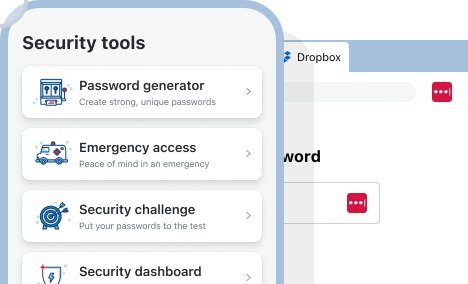
The LastPass Security Dashboard helps administrators identify weak and reused passwords across the organization, making it easier to address issues before they become security incidents. Administrators can also view an overall security score and track improvements over time as employees adopt stronger security practices.
Dark Web Monitoring provides additional visibility by alerting you when employee email addresses appear in known data breaches. This allows administrators to identify affected users and take action before compromised credentials can be used to access business accounts.
Love Struck, an international food and beverage company, uses LastPass to continuously monitor credential-related risks across the organization. As Managing Director Paul Longega explained, "LastPass alerts us to password vulnerabilities, checks if any credentials have appeared in data leaks or on the dark web, and rates the strength of our passwords. Having that level of automated monitoring has been incredibly valuable." (Read the full case study.)
(Learn more about the Security Dashboard.)
2. 1Password
1Password is a secure access platform that approaches SaaS security primarily through credential management and access control. The platform started as a password manager but has since expanded into broader secure access capabilities through its Extended Access Management offering.
Organizations use 1Password to secure credentials, manage access to applications, and verify that users are accessing company resources from trusted devices. It’s generally best suited for organizations with dedicated IT and security teams that need more advanced access management capabilities.
Compared to SaaS discovery and governance tools, 1Password focuses more heavily on securing access than on identifying shadow IT. While it offers broader access management capabilities than many password managers, organizations looking for visibility into SaaS and AI tool adoption may still need additional tools.
Where 1Password stands out most is in developer-focused features such as SSH key management, secrets automation, and Travel Mode, which allows employees to temporarily remove sensitive vaults from devices while traveling internationally.
Read our comparison article on LastPass vs. 1Password.
3. Keeper
Keeper is an identity security platform offering credential management and privileged access management (PAM). In addition to password storage and sharing, the platform includes a range of security features such as:
-
Secrets management
-
Remote browser isolation
-
Agentless gateways
-
Credential sharing
-
Administrative controls
Keeper is best suited for larger organizations that need capabilities beyond traditional password management, such as privileged account controls, compliance-focused security capabilities, or more advanced administrative functionality. For small and mid-sized businesses, however, that broader feature set can introduce additional complexity.
Keeper doesn’t have features for shadow IT, detection, SaaS and AI monitoring, or blocking specific applications. Organizations that need visibility into employee SaaS usage may need additional tools alongside Keeper.
Read our comparison article on LastPass vs. Keeper
4. Bitwarden

Bitwarden is a credential management tool used to store, share, and manage passwords and other credentials, with options for self-hosting and open-source deployments. In addition to its encrypted vault and browser extension, Bitwarden includes features such as Secrets Manager for DevOps workflows, SCIM provisioning, passphrase generation, and Access Intelligence, which helps identify weak or reused credentials across your organization.
Bitwarden is particularly popular with developers, IT teams, and organizations that prioritize open-source transparency. Its code is publicly available, undergoes regular third-party security audits, and can be self-hosted by organizations that want full control over their infrastructure. The platform also offers both US and EU data residency options for cloud-hosted deployments.
The tradeoff is that Bitwarden's visibility is limited to credentials that are already stored in the platform. While it can identify password-related risks, it can’t detect non-vaulted logins or show you which SaaS and AI tools employees are accessing outside the vault. It also doesn't provide SaaS discovery, shadow IT monitoring, or application controls that allow administrators to approve, warn against, or block specific applications.
For organizations primarily focused on credential security, self-hosting, or open-source software, Bitwarden can be a strong option. Companies that also need visibility into SaaS adoption and employee use of AI and SaaS applications may require additional tools alongside it.
Read our comparison article on LastPass vs. Bitwarden
5. Grip Security

Grip Security is a SaaS discovery and governance platform designed to help organizations identify, inventory, and manage SaaS applications across the business. The platform discovers SaaS accounts created with corporate email addresses, maps them to users and business units, and provides additional context about application usage, integrations, and risk.
Grip is particularly useful for identifying shadow IT and uncovering abandoned accounts and dormant credentials that may continue to create security exposure long after they’re no longer actively used. It’s best for mid-market and enterprise organizations that need greater visibility into SaaS adoption and account lifecycle management.
Grip doesn’t include password management, credential storage, password sharing, or browser-based credential security features, so organizations typically have to pair Grip with a separate password manager or secure access solution.
6. Nudge Security

Nudge Security is a SaaS discovery and governance platform that helps organizations identify SaaS applications employees adopt without IT involvement. The platform discovers accounts by monitoring email-based account creation events, giving organizations visibility into SaaS applications that may have been adopted outside approved procurement and security processes.
Nudge’s "nudge" approach uses contextual prompts and notifications to encourage employees to follow security policies, use approved alternatives, and make more informed decisions when adopting new applications.
In addition to SaaS discovery, Nudge provides a complete inventory of SaaS accounts, OAuth grants, third-party integrations, and supply chain risks. Because its discovery method is email-based, it can identify existing accounts retroactively, helping organizations understand their broader shadow IT footprint.
Originally, Nudge relied entirely on employee guidance rather than enforcement, but the platform has since added a browser extension that can guide employees away from unapproved applications during the sign-up process.
It doesn’t include password management, credential storage, browser-based credential security, or application controls that allow administrators to block access to specific tools.
7. Torii

Torii is a SaaS management platform that helps organizations understand, govern, and optimize their SaaS stack. Unlike credential management tools or enterprise security platforms, Torii focuses on software inventory, license management, and operational workflows.
The platform discovers SaaS applications through integrations with identity providers, SSO platforms, expense systems, and browser telemetry. By pulling data from multiple sources, Torii builds a centralized inventory of SaaS usage across the organization, helping IT teams understand what applications employees are using and where software spend is occurring.
Organizations use Torii to identify unused licenses, redundant applications, and shadow IT so they can reduce costs, consolidate tools, and improve governance. The platform also includes automated onboarding and offboarding workflows, allowing IT teams to provision or revoke access across discovered SaaS applications.
Torii is built primarily for IT operations teams at mid-market organizations that need better visibility into SaaS usage and spending. It doesn’t provide password management, credential storage, or application controls for allowing, warning, or blocking specific SaaS and AI tools. Instead, it serves as a management and optimization layer that helps organizations understand and clean up their SaaS environment.
8. Microsoft Defender for Cloud Apps

Microsoft Defender for Cloud Apps is a Cloud Access Security Broker (CASB) designed to help organizations discover, monitor, and control SaaS application usage.
The platform discovers shadow IT by analyzing traffic logs from firewalls, proxies, endpoint agents, and other data sources. As of June 2026, Microsoft maintains a catalog of more than 33,000 cloud applications, allowing organizations to identify the SaaS services employees are using and evaluate them against dozens of risk factors. Administrators can then monitor user activity within sanctioned and unsanctioned applications and apply security policies based on that activity.
Microsoft Defender also includes enforcement capabilities such as blocking access to unsanctioned applications, applying session controls, and integrating with Microsoft Entra Conditional Access policies. These capabilities make it a powerful option for organizations that need deep visibility and control across a large SaaS environment.
The platform is best suited for organizations already invested in the Microsoft ecosystem, particularly those using Microsoft 365 E5. While Defender can provide extensive SaaS visibility and governance capabilities, deploying and managing the platform typically requires integration with existing security infrastructure and ongoing policy management. For organizations without dedicated IT or security teams, that level of complexity can be difficult to justify.
Microsoft Defender for Cloud Apps doesn’t focus on credential management or secure access. Instead, it serves as an enterprise SaaS security and governance platform designed for organizations with the resources to operate and maintain it.
9. Netskope

Netskope is an enterprise SaaS security platform that combines CASB capabilities with Secure Access Service Edge (SASE) functionality. The platform helps organizations discover, monitor, and control SaaS application usage while providing visibility into how employees interact with cloud services and sensitive data.
One of Netskope's key strengths is its ability to distinguish between corporate and personal instances of the same application. For example, organizations can see whether employees are accessing a corporate ChatGPT account or a personal ChatGPT account and apply different policies accordingly. Netskope also supports granular, context-aware controls, allowing organizations to permit certain activities while blocking others based on factors such as user, device, application, or data sensitivity.
The platform is best for organizations with complex security and compliance requirements that need detailed visibility into cloud application activity and data movement.
Compared to password managers and secure access tools, Netskope operates at a different layer of SaaS security, focusing on SaaS governance, policy enforcement, and data protection across large cloud environments. While this provides significant visibility and control, it also makes Netskope a more involved deployment that is typically best suited for organizations with dedicated IT and security resources.
Next steps: choosing the right SaaS security tools for your organization
The right SaaS security tool depends on what you're trying to protect and who's going to run it. Enterprise platforms like Netskope and Microsoft Defender for Cloud Apps give you deep, network-level governance across a large SaaS environment, but they take dedicated security teams and ongoing management to operate. Discovery and governance tools like Grip, Nudge, and Torii are built to inventory your SaaS stack and surface shadow IT, though they don't secure the credentials behind those apps. And credential-focused tools like 1Password, Keeper, and Bitwarden secure access to applications, each leaning toward a particular strength: device trust, privileged access management, or open-source self-hosting.
For most small to midsize businesses, the practical question is how much security you can get without adding headcount or infrastructure. That's the gap LastPass is built for. It combines SaaS Monitoring, application access controls, and credential management in a single browser-based tool, so you can see which SaaS and AI tools your team is using, decide which to allow, warn on, or block, and secure the credentials behind all of it, all without deploying agents or standing up a separate platform.
If that's the layer you need covered, you can start a free trial or schedule a demo to see how LastPass fits your team.


